Showing posts with label debuger in dynamics ax. Show all posts

Tuesday, 10 November 2015

Debbuger is coming blank or Its showing No debugger has installed.

There are many reasons behind this error.


  • User is not in the list of Microsoft Dynamics Debugger Group. control panel -> user account -> change user account type-> select advance tab -> clcik advance button-> select group -> double click on microsoft Dynamics AX Debugger group-> add user.


  • User is not in the list of Administrator Group. control panel -> user account -> change user account type-> select advance tab -> clcik advance button-> select group -> double click on Administrator group-> add user.
  • UAC should be disable. control panel -> User account -> User Account control setting -> select never notify.

  • Run as administrator while open AX. right click ax clinet and select run as administrator.
  • Install the Debbuger from the AX setup file.
  • Dynamics AX server configuration, check the Enable Breakpoint to debug X++ code running and Enable Global breakpoint


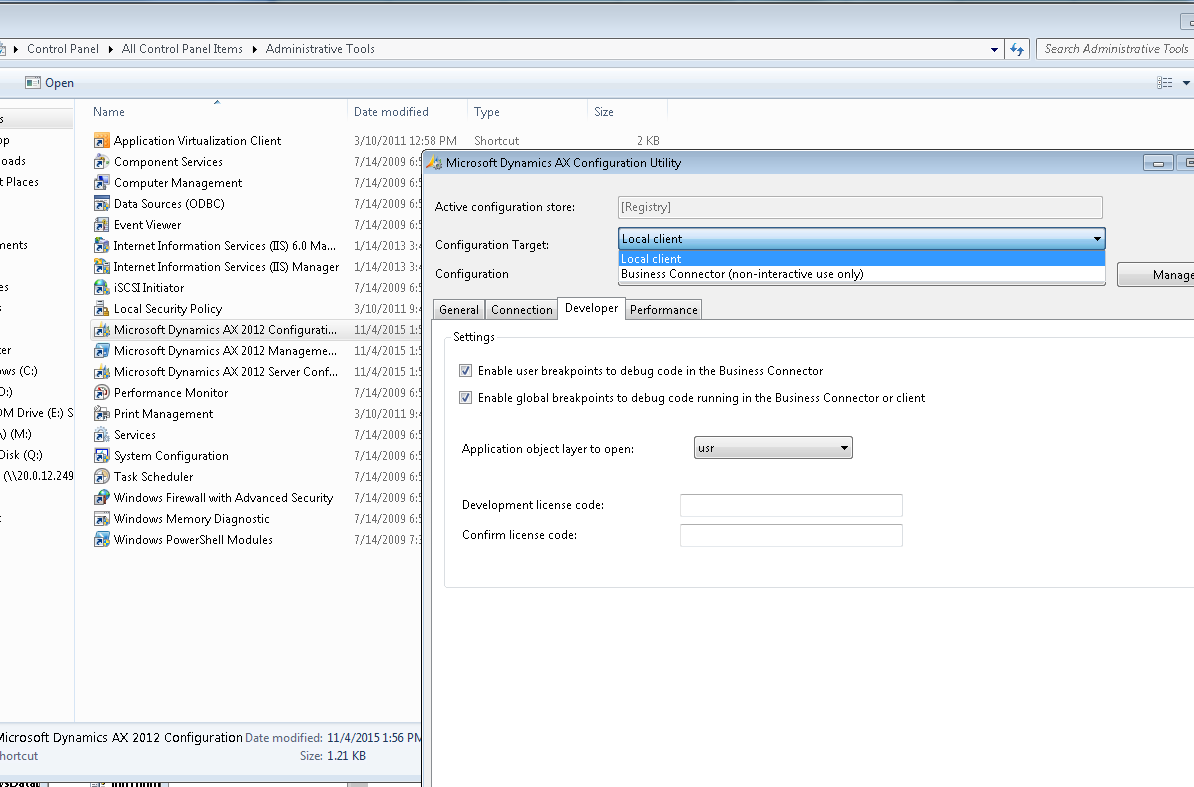
  • Dynamics AX client configuration -> configuration target , select business connector and Local client both one by one and check the Enable user breakpoint to debug .. checkbox and Enable global breakpoint to debug .. checkbox


Debbuger is coming blank or Its showing No debugger has installed.

There are many reasons behind this error.


  • User is not in the list of Microsoft Dynamics Debugger Group. control panel -> user account -> change user account type-> select advance tab -> clcik advance button-> select group -> double click on microsoft Dynamics AX Debugger group-> add user.


  • User is not in the list of Administrator Group. control panel -> user account -> change user account type-> select advance tab -> clcik advance button-> select group -> double click on Administrator group-> add user.
  • UAC should be disable. control panel -> User account -> User Account control setting -> select never notify.

  • Run as administrator while open AX. right click ax clinet and select run as administrator.
  • Install the Debbuger from the AX setup file.
  • Dynamics AX server configuration, check the Enable Breakpoint to debug X++ code running and Enable Global breakpoint


  • Dynamics AX client configuration -> configuration target , select business connector and Local client both one by one and check the Enable user breakpoint to debug .. checkbox and Enable global breakpoint to debug .. checkbox